

How to Score 95+ on Core Web Vitals (Lighthouse)
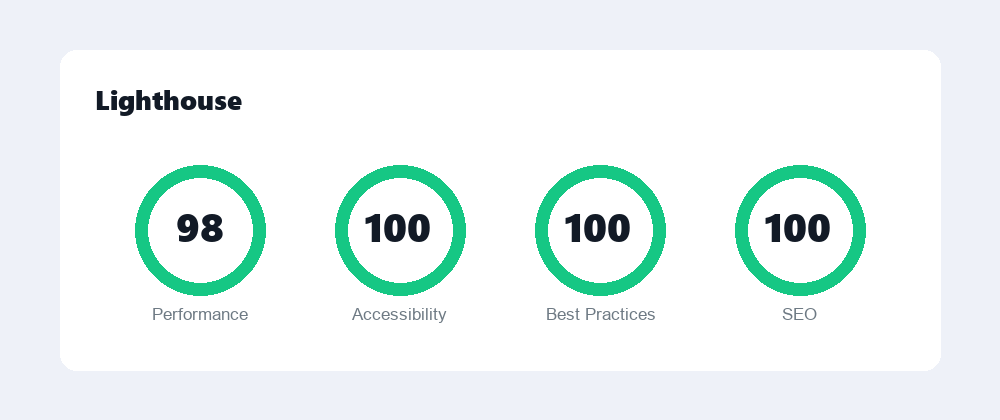
A high Lighthouse score is not about chasing a vanity number. The metrics behind it measure how a real visitor experiences your page: how fast the main content appears, how stable the layout is while it loads, and how quickly the page responds to taps and clicks. Hit 95+ and you have a site that genuinely feels fast. Here is how to get there methodically.
The three Core Web Vitals, briefly
- LCP (Largest Contentful Paint): how long until the biggest visible element, usually a hero image or heading, finishes rendering. Aim for under 2.5 seconds.
- CLS (Cumulative Layout Shift): how much the page jumps around as it loads. Aim for under 0.1.
- INP (Interaction to Next Paint): how quickly the page reacts when a user interacts with it. Aim for under 200 milliseconds.
Almost every optimization below improves at least one of these. Work through them in order and re-test as you go.
Optimize images
Images are the single biggest cause of slow LCP. Tackle them first.
- Serve modern formats like WebP or AVIF instead of large JPEGs and PNGs.
- Size images to the dimensions they actually display at, not the full resolution off the camera.
- Lazy-load below-the-fold images so they do not compete for bandwidth on first paint.
- Preload your LCP image and add
fetchpriority="high"so the browser fetches it immediately.
A preload and priority hint for your hero image looks like this:
<link rel="preload" as="image" href="/images/hero.webp" fetchpriority="high">
<img src="/images/hero.webp" width="1200" height="600" alt="Hero" fetchpriority="high">
One caution: do not lazy-load your LCP image. Lazy-loading the very element you want to appear fastest will hurt your score, not help it.
Reduce and defer JavaScript and CSS
Render-blocking scripts and stylesheets force the browser to wait before it can paint anything. Trim them down.
- Remove unused JavaScript and CSS, including features from plugins you no longer use.
- Defer non-critical scripts with the
deferattribute so they load after the page renders. - Inline the small amount of critical CSS needed for above-the-fold content and load the rest asynchronously.
- Minify everything to strip whitespace and comments.
<script src="/js/app.js" defer></script>Caching plus gzip or brotli
Caching means returning visitors and your server do far less work. Enable page caching, set long browser cache headers for static assets, and turn on gzip or, better still, brotli compression so text-based files travel across the network much smaller. On WordPress a good caching plugin handles most of this for you.
Optimize fonts
Web fonts are a quiet performance killer because they can block text from showing and cause layout shifts.
- Add
preconnectto your font provider so the connection opens early. - Use
font-display: swapso text renders in a fallback font immediately, then swaps in your web font. - Self-host fonts where possible to remove a third-party round trip.
<link rel="preconnect" href="https://fonts.example.com" crossorigin>

@font-face {
  font-family: 'Inter';
  src: url('/fonts/inter.woff2') format('woff2');
  font-display: swap;
}
Reserve space to avoid layout shift
CLS problems almost always come from elements that arrive late and push content down. Prevent this by reserving space ahead of time. Always set explicit width and height (or a CSS aspect ratio) on images, videos, ads, and embeds so the browser knows how much room to leave before the asset loads.
<img src="/images/photo.webp" width="800" height="450" alt="Photo">Use a fast theme and limit heavy plugins
A bloated theme can sabotage every other effort. Choose a lightweight, well-coded theme and be ruthless about plugins. Each one you add can inject its own CSS and JavaScript on every page. Audit your active plugins, remove anything you do not truly need, and prefer a single multipurpose plugin over several overlapping ones.
Good hosting and a CDN
Server response time sets the floor for everything else. Cheap, oversold hosting will keep your scores low no matter what you optimize on the front end. Invest in quality hosting with fast time-to-first-byte, and put a CDN in front of your site so assets are served from a location close to each visitor.
Checklist to hit 95+
- Hero image preloaded with
fetchpriority="high", never lazy-loaded. - All images in WebP/AVIF, correctly sized, below-the-fold images lazy-loaded.
- Unused JS and CSS removed; remaining scripts deferred and minified.
- Page caching plus brotli/gzip compression enabled.
- Fonts preconnected, self-hosted, with
font-display: swap. - Explicit width and height on all media and embeds.
- Lightweight theme and a trimmed plugin list.
- Quality hosting with a CDN in front.
- Re-test after every change and confirm field data, not just lab data.

Contributor at WowPixelTheme — sharing tips, tutorials and product updates.